|
How to use the Autoloot Manager
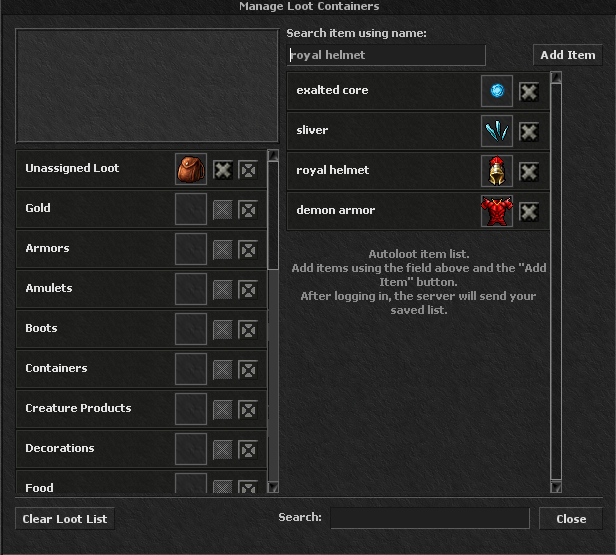
Adding items to autoloot (right panel): In the "Search item using name:" field, type the item name (e.g. royal helmet), then click Add Item. The item will appear on the "Autoloot item list". The X button next to each entry removes it from the list. The list is saved on the server and available after every login.
Assigning containers to categories (left panel): For each category (Gold, Armors, Amulets, Boots, Food, etc.) you can assign backpacks – drag a container into the empty slot next to the category. The default backpack for "Unassigned Loot" is used for unassigned items. The X buttons next to a container remove its assignment.
Clear Loot List resets your loot settings. Close closes the window. This lets you set exactly what is picked up automatically and which backpacks receive the loot.
|